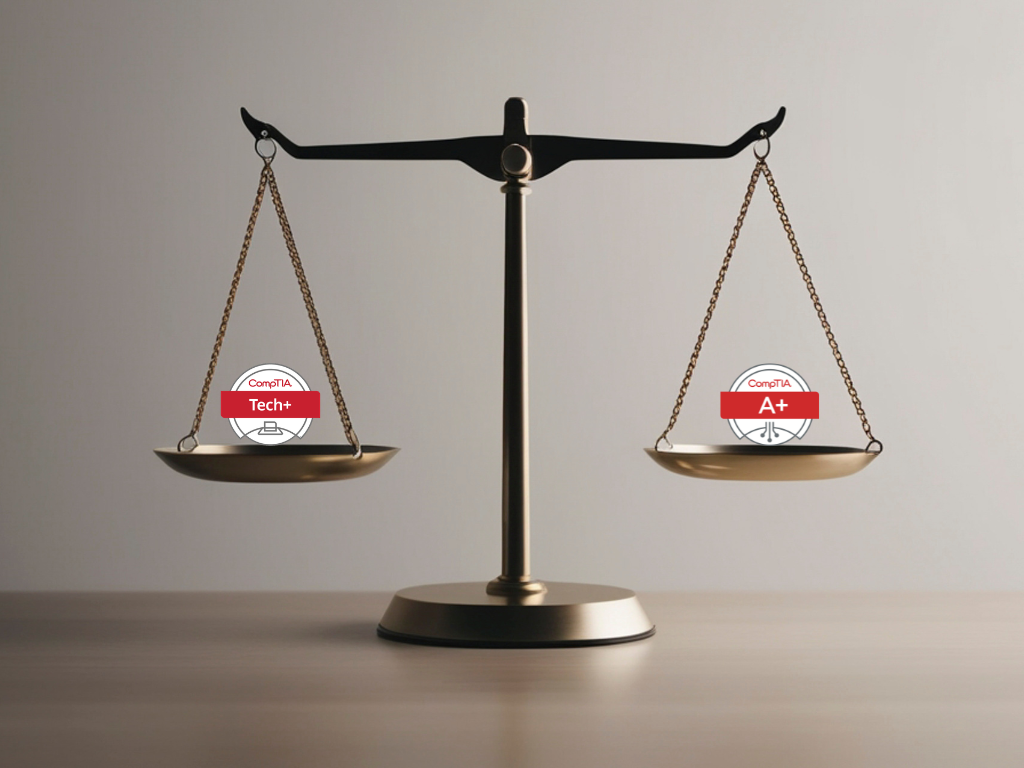
CompTIA Tech+ is a beginner IT certification for people who want to understand basic technology before moving into greater technical skills. It covers core IT concepts such as computing, infrastructure, software, databases, security, and troubleshooting. For students, career changers, and first-time learners, it can be a simpler starting point than jumping directly into CompTIA A+.
The main difference is that CompTIA Tech+ focuses on IT foundations, while CompTIA A+ focuses more on technical support skills. Tech+ helps beginners understand the language of IT first, including terms like networking, cybersecurity, applications, and infrastructure. A+ is better for learners who already know the basics and want to move toward help desk, desktop support, or technician-style roles.
What is CompTIA Tech+?
CompTIA Tech+ is an entry-level IT certification for people who want to understand how technology works at a basic level. It gives a broad introduction to IT instead of pushing beginners into one technical role too early. That makes it useful for students, career changers, non-technical professionals, and anyone exploring IT certifications for beginners.
Think of Tech+ as a first map of the IT world. It helps you understand the major areas before choosing a direction, like IT support, networking, cybersecurity, software, cloud, or data. If you are looking for an entry-level IT certification that explains the basics clearly, Tech+ is a strong place to begin.
What is the CompTIA Tech+ certification?
The CompTIA Tech+ certification validates beginner-level technology knowledge. It is designed for learners who are new to tech or still deciding whether IT is the right career path. CompTIA says Tech+ focuses on foundational knowledge and hands-on skills needed to navigate today’s digital world.
In simple terms, Tech+ helps beginners understand:
- How computers work: Devices, operating systems, files, and applications.
- How IT systems connect: Networks, internet access, cloud, and infrastructure.
- How software is used: Applications, productivity tools, and business platforms.
- How data is stored: Basic database and information management concepts.
- How systems stay safe: Security fundamentals and safe technology habits.
- How problems are solved: Basic troubleshooting and support thinking.
These topics are not meant to make someone an expert immediately. They help build enough confidence to understand IT conversations, training materials, and future certifications.
Is CompTIA Tech+ the same as CompTIA IT Fundamentals?
CompTIA Tech+ is closely connected to CompTIA IT Fundamentals, also known as ITF+. CompTIA has described Tech+ as the updated beginner path from ITF+, with more current coverage of technology and digital skills. So, older references to CompTIA IT Fundamentals usually belong to the same beginner IT space.
The difference is mainly positioning and freshness. ITF+ was the older beginner certification, while Tech+ is now the newer starting point for learners who want a broader introduction to computing, infrastructure, software, databases, and security. If you are comparing both names, focus on Tech+ as the current beginner-friendly CompTIA option.
Who is CompTIA Tech+ for?
CompTIA Tech+ is for people who want to understand technology before choosing a specific IT path. It is useful if you are interested in IT but still feel unsure about technical terms, support roles, or which certification should come first. You do not need deep technical experience to begin with Tech+.
It is a good fit for:
- Students who want to explore tech before choosing a career path.
- Career changers who need a simple starting point before deeper training.
- Non-technical workers who want to understand workplace technology better.
- New IT learners who are not ready to start directly with CompTIA A+.
- Beginners who want confidence with IT concepts, software, networks, and security.
In short, Tech+ is best for people who want to understand IT first. It gives enough context to make the next decision easier.
What Does CompTIA Tech+ Cover?
CompTIA Tech+ covers the basic building blocks of technology. The topics are broad, which is helpful for beginners because IT roles often overlap. A support role may involve security basics, a cybersecurity path needs networking knowledge, and software learning becomes easier when database concepts are clear.
CompTIA lists Tech+ fundamentals across areas such as IT concepts and terminology, infrastructure, applications and software, software development concepts, data and database fundamentals, and security. These areas help learners understand how different parts of technology work together.
IT concepts and terminology
This section introduces common IT concepts and terminology. Beginners learn IT terms such as hardware, software, operating system, server, cloud, network, database, security, and troubleshooting. These words appear across almost every IT learning path.
This matters because many beginners are not confused by technology alone; they are confused by the language around it. Once the basic terms become familiar, other topics become easier to follow. Tech+ helps learners build that vocabulary before they move into more technical training.
Basics of computing
The basics of computing explain how computers, devices, operating systems, and software work together. This includes input, processing, storage, output, files, applications, and basic device usage. It also helps learners understand the difference between IT hardware and software.
This foundation is useful because almost every IT path starts with computing basics. Whether someone later chooses support, networking, cybersecurity, or software, they need to know how devices and systems function. Tech+ keeps this part beginner-friendly instead of going too deep too soon.
IT infrastructure and networking
IT infrastructure means the systems that support technology in an organisation. This can include devices, servers, networks, storage, cloud services, and internet connectivity. IT networking focuses on how devices communicate with each other.
At the Tech+ level, the goal is not advanced network engineering. The goal is to understand the basic parts of connectivity and why networks matter in everyday IT work.They are:
- Devices: Computers, laptops, phones, and other tools connected to a network.
- Servers: Systems that provide services, files, apps, or data to users.
- Networks: Connections that allow devices to communicate.
- Routers and Wi-Fi: Tools that help users connect to the internet or local networks.
- IP addresses: Unique numbers used to identify devices on a network.
- Cloud services: Online services used for storage, apps, and business tools.
This makes later certifications easier because learners already understand how systems connect and why infrastructure supports daily technology use.
IT applications and software
This section covers IT applications and software used in daily work. Examples include browsers, productivity tools, communication platforms, business apps, and software installed on computers or mobile devices.
For beginners, this topic connects technology to real workplace use. Applications often depend on devices, networks, databases, and security settings, which is why IT problems often involve more than one system.
Key topics are:
- Browsers: Tools like Chrome or Edge used to access websites and web apps.
- Productivity tools: Apps for documents, spreadsheets, presentations, and email.
- Communication platforms: Tools for chat, meetings, calls, and team collaboration.
- Business applications: Software used for sales, finance, HR, or customer support.
- Installed software: Programs added directly to a computer or mobile device.
- Software updates: Changes that fix bugs, improve security, or add features.
Database fundamentals
Database fundamentals explain how information is stored, organized, and retrieved. A database may hold customer records, product details, employee information, transactions, or application data. Beginners do not need to become database administrators, but they should know why databases matter.
This is useful because almost every modern app uses data. When someone logs in, places an order, updates a profile, or checks records, a database is usually involved. Tech+ introduces this idea simply so learners can understand how applications and data work together.
Security fundamentals
Security fundamentals cover basic ways to protect users, devices, systems, and data. This includes passwords, authentication, malware awareness, safe browsing, software updates, privacy, and common online threats.
Every IT role needs basic security awareness, not just cybersecurity roles. Tech+ introduces IT security fundamentals in a simple way, so beginners understand why protection matters.
Security Area | What Beginners Should Understand |
Passwords | Use strong, unique passwords and avoid sharing them. |
Authentication | Verify user identity before giving access. |
Malware awareness | Recognise harmful software like viruses or spyware. |
Safe browsing | Avoid suspicious links, downloads, and risky websites. |
Software updates | Keep systems updated to fix bugs and security risks. |
Privacy | Protect personal and workplace data. |
Common threats | Understand phishing, scams, and basic online risks. |
These basics help learners understand safe technology use across all IT paths.
IT troubleshooting
IT troubleshooting means finding and fixing technology problems step by step. It may involve checking cables, restarting a device, reading error messages, or testing software. Troubleshooting builds logical thinking. Instead of guessing, learners ask what changed, what is not working, and where the issue may have started.
Troubleshooting Step | What It Means |
Identify the problem | Understand what is not working. |
Check simple causes | Look at cables, power, Wi-Fi, or login issues first. |
Read error messages | Use messages as clues instead of ignoring them. |
Test one thing at a time | Change one thing so the cause is easier to find. |
Find the likely source | Check if the issue is hardware, software, network, or user-related. |
Apply a fix | Try the safest and most logical solution. |
Confirm it works | Test again to make sure the problem is solved. |
This same troubleshooting mindset becomes useful later in CompTIA A+, help desk work, and technical support.
What is CompTIA A+?
CompTIA A+ is a more technical entry-level certification focused on IT support and operations. It is commonly connected with help desk, desktop support, field technician, and technical support roles. CompTIA describes A+ as a starting point for IT careers, covering hardware, software, networking, troubleshooting, and security.
This makes A+ different from Tech+. Tech+ helps learners understand technology broadly, while A+ moves closer to supporting devices, users, operating systems, networks, and common technical issues. If Tech+ explains the foundation, A+ applies that foundation to support work.
What is CompTIA A+ certification?
The CompTIA A+ certification validates practical IT support knowledge. It is designed for learners who are ready to go deeper into devices, operating systems, troubleshooting, networking, security, and support procedures. It is still considered entry-level, but it is more technical than Tech+.
A+ is a better fit when the goal is help desk, desktop support, or technician-style work. It focuses more on solving user problems, maintaining devices, understanding operating systems, and applying technical troubleshooting. That is why many learners take A+ after building basic IT confidence.
What does CompTIA A+ cover?
CompTIA A+ covers hardware, operating systems, networking, troubleshooting, security, mobile devices, cloud basics, and support processes. CompTIA’s A+ page also notes that learners need to pass two exams: Core 1 and Core 2, which cover areas like hardware, networking, operating systems, and security.
So, when someone asks what is CompTIA A+ certification, the simple answer is this: it is a practical certification for people who want to move toward IT support roles. It is beginner-friendly, but it expects more technical readiness than Tech+.
CompTIA Tech+ vs A+: What is the Difference?
The main difference between CompTIA Tech+ and CompTIA A+ is depth and direction. Tech+ is broader, lighter, and more beginner-friendly. A+ is more technical, more hands-on, and more connected to support roles.
Beginners should not choose only based on popularity. CompTIA A+ certification is more recognized for IT support, but CompTIA Tech+ may be the better first step if the learner is completely new to IT. The right choice depends on current confidence and career direction.
Comparison Point | CompTIA Tech+ | CompTIA A+ |
Best for | Absolute beginners exploring IT | Learners ready for technical support skills |
Level | Foundational | Entry-level but more technical |
Main focus | IT concepts, computing, infrastructure, software, databases, security basics, and troubleshooting | Hardware, operating systems, networking, troubleshooting, security, and support tasks |
Depth | Broad and beginner-friendly | Deeper and more job-role focused |
Hands-on expectation | Lower | Higher |
Good first choice if | You are new to IT or unsure where to begin | You already understand basic IT concepts |
Career direction | Helps build IT confidence and explore tech paths | Helps prepare for help desk, support, and technician roles |
Best next step | Move to A+ after building the foundation | Move to Network+, Security+, or role-specific IT skills |
A simple way to remember it is this: Tech+ helps you understand IT, while A+ helps you start supporting IT systems. They are not really competing certifications; they fit different readiness levels.
Which One Is Best for You: CompTIA Tech+ or A+?
The better choice depends on where you are starting from. If IT still feels new and many terms are unfamiliar, Tech+ is usually the safer first step. If you already understand basic computing and want help desk or technical support skills, A+ may be more useful.
This decision should be practical. Do not choose based only on which certification has more searches or more job mentions. Choose the one that matches your current knowledge, confidence, and next goal.
Choose CompTIA Tech+ if you are new to IT
Choose CompTIA Tech+ if you are still learning the basics of technology. It is useful when you want to understand computing, infrastructure, software, databases, networking, security, and troubleshooting without jumping too quickly into technical support.
Tech+ works well when:
- You are new to IT: You need the basics before support topics.
- You want a beginner-friendly start: You prefer broad understanding before depth.
- You are a student or career changer: You want a simple entry point into tech.
- You feel lost with IT terms: You need confidence with the language of technology.
- You may take A+ later: You want a foundation before deeper technical training.
For many beginners, Tech+ makes the next step feel less intimidating. Once the basic language of IT is clear, A+ and other CompTIA certifications become easier to understand.
Choose CompTIA A+ if you are ready for technical support skills
Choose CompTIA A+ if you already understand basic computing and want to move closer to IT support work. It is better for learners who want stronger skills in troubleshooting, hardware, operating systems, networking, and user support.
A+ works well when:
- You know basic IT terms: You are ready to go deeper.
- You want support skills: You are interested in help desk or technician roles.
- You like troubleshooting: You want to solve user and device problems.
- You are ready for hardware and operating systems: You want more technical depth.
- You want a job-focused starting point: You are aiming for IT support work sooner.
For some learners, A+ can be the first certification. For others, it works better after Tech+, especially if they need more confidence with IT basics first.
Beginner IT Career Path After CompTIA Tech+
CompTIA Tech+ can fit into an IT career roadmap as the foundation step. It helps learners understand the basic language, systems, and logic of technology before choosing a direction. That direction may be IT support, networking, cybersecurity, software, data, or cloud.
The best next step depends on what felt most interesting. If troubleshooting and user support stood out, A+ may be the right move. If networks felt interesting, Network+ could come later. If security topics stood out, Security+ may become a future goal.
Tech+ to A+ path
The most natural path is Tech+ to A+. Tech+ builds the foundation, and A+ adds deeper technical support skills. This path works well for learners who want to move from understanding IT basics to supporting real systems and users.
In simple terms:
- Tech+ answers: How does IT work?
- A+ answers: How do I support and troubleshoot IT systems?
- Together, they create a smoother beginner IT path.
This makes the two certifications complementary. Tech+ can reduce confusion before A+, while A+ can turn that foundation into more job-focused technical knowledge.
Tech+ to other CompTIA certifications
Tech+ can also support other CompTIA certification paths. After building the foundation, learners may move toward A+, Network+, Security+, or another direction depending on their interests. The key is to choose the next step based on the type of work they want to explore.
Common paths include:
- Tech+ to A+: Best for IT support and help desk.
- Tech+ to Network+: Best for networks and connectivity.
- Tech+ to Security+: Best for cybersecurity basics.
- Tech+ to software or data learning: Best if applications or databases feel more interesting.
Tech+ gives the base, but it does not lock learners into one path. That flexibility is one reason it works well for beginners who are still exploring IT.
Is CompTIA Tech+ Worth It for Beginners?
CompTIA Tech+ is worth it for beginners who want a clear and simple starting point in IT. It helps build confidence with IT concepts, infrastructure, software, databases, networking, security fundamentals, and troubleshooting before moving into greater technical skills.
However, Tech+ is not always the best first choice for everyone. If someone already understands basic computing and wants to move directly toward help desk or technical support, CompTIA A+ may be the stronger starting point. A+ is more technical and more connected to support roles.
For absolute beginners, students, and career changers, Tech+ can make the IT learning path feel less overwhelming. It works best as a foundation before A+ or another beginner-friendly CompTIA certification, especially when the goal is to understand technology before choosing a long-term path.