
The 7 Layers of the OSI Model Explained in Plain English

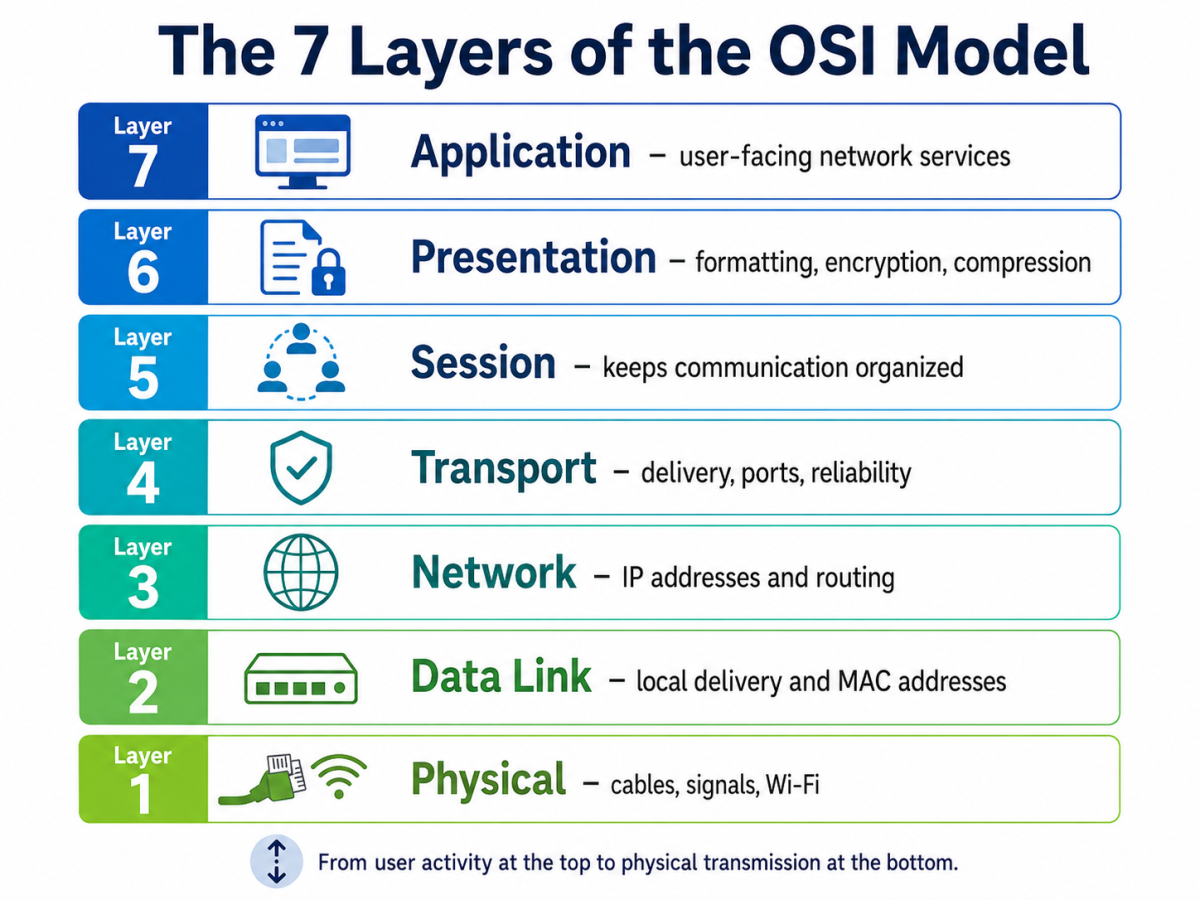
The 7 layers of the OSI model explain how data moves from one device to another. That may sound technical at first, but the basic idea is simple. Every time someone opens a website, sends an email, joins a video call, or downloads a file, data has to travel across a network.
The OSI model breaks that journey into seven smaller steps. Each step has a different job. One layer deals with the physical connection, another handles addresses, another manages delivery, and another supports the app or service being used.
As a result, networking becomes easier to understand. Instead of seeing one large confusing system, learners can look at each layer separately and understand what happens at that stage.
What Is the OSI Model?
The OSI model, or Open Systems Interconnection model, is a framework used to explain how devices communicate over a network. It is not a physical device, app, or software tool. Instead, it is a learning model that shows what happens when data travels between computers, phones, servers, routers, and other network devices.
Think of it like sending a package. First, the item needs to be prepared. Then, it needs an address, a delivery route, a transport method, and someone to receive and open it. Data moves in a similar way.
In simple terms, the OSI model divides network communication into seven layers so each part of the process becomes easier to understand.
Why the OSI Model Uses Layers
The OSI model uses layers because network communication has many moving parts. A single website visit may involve a browser, encryption, ports, IP addresses, routers, switches, cables, Wi-Fi signals, and servers.
That is a lot to understand at once. However, when the process is divided into layers, it becomes much easier to learn.
For example, if a website does not load, the problem may be with the Wi-Fi, the IP address, DNS, the browser, the server, or the website itself. The OSI model helps learners narrow down where the issue may be.
Why the OSI Model Matters for Networking Learners
The OSI model matters because it gives learners a clear map of networking. Without a map, network problems can feel like guesswork.
For example, a laptop may fail to connect because the cable is loose. In another case, the connection may work, but the IP address may be wrong. In a third case, the network may be fine, but the website may not respond.
Because of this, the OSI model helps learners troubleshoot in a more organized way. Instead of asking, “Why is the internet not working?” they can ask, “Which layer should I check first?”
How the OSI Model Helps With Troubleshooting
The OSI model helps with troubleshooting because it separates network problems into smaller areas.
For example, a support technician may first check whether the device is connected to Wi-Fi or Ethernet. After that, they may check the IP address. Next, they may test DNS, ports, browser settings, or the application.
This step-by-step method is useful for networking students, IT support teams, cybersecurity beginners, and Network+ learners.
All Layers of the OSI Model at a Glance
All layers of the OSI model communicate with each other. The lower layers mostly move data, while the upper layers prepare data and help applications use it.
Layer | Name | Simple Meaning | Easy Example |
7 | Application | Helps apps use network services | Opening a website |
6 | Presentation | Makes data readable, usable, or secure | Encryption or file formatting |
5 | Session | Keeps communication active | Staying logged in |
4 | Transport | Controls how data is delivered | TCP and UDP |
3 | Network | Finds the route to another network | IP addresses and routers |
2 | Data Link | Delivers data inside a local network | Switches and MAC addresses |
1 | Physical | Sends signals through hardware | Cables, Wi-Fi, fiber |
A simple way to understand it is this: the top layers prepare the message, and the lower layers help move it.
How Data Moves Through the OSI Model Layers
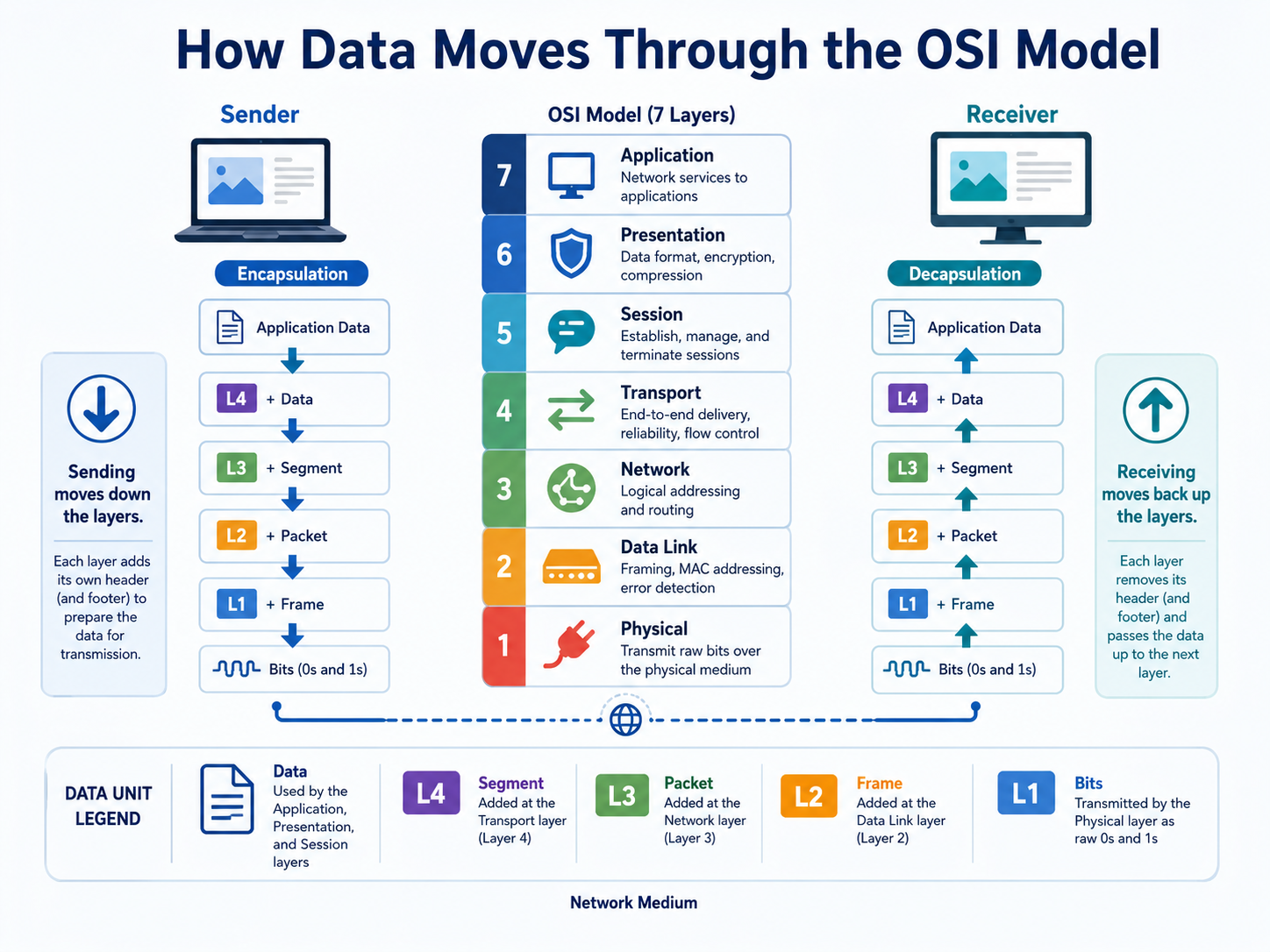
When data leaves a device, it moves from Layer 7 down to Layer 1. Each layer adds something useful, such as formatting, session details, ports, addresses, or signals.
When data reaches the other device, the process moves in reverse. It travels from Layer 1 back up to Layer 7 until the receiving application can use it.
So, sending data moves down the model. Receiving data moves back up the model.
OSI Model Physical Layer Explained
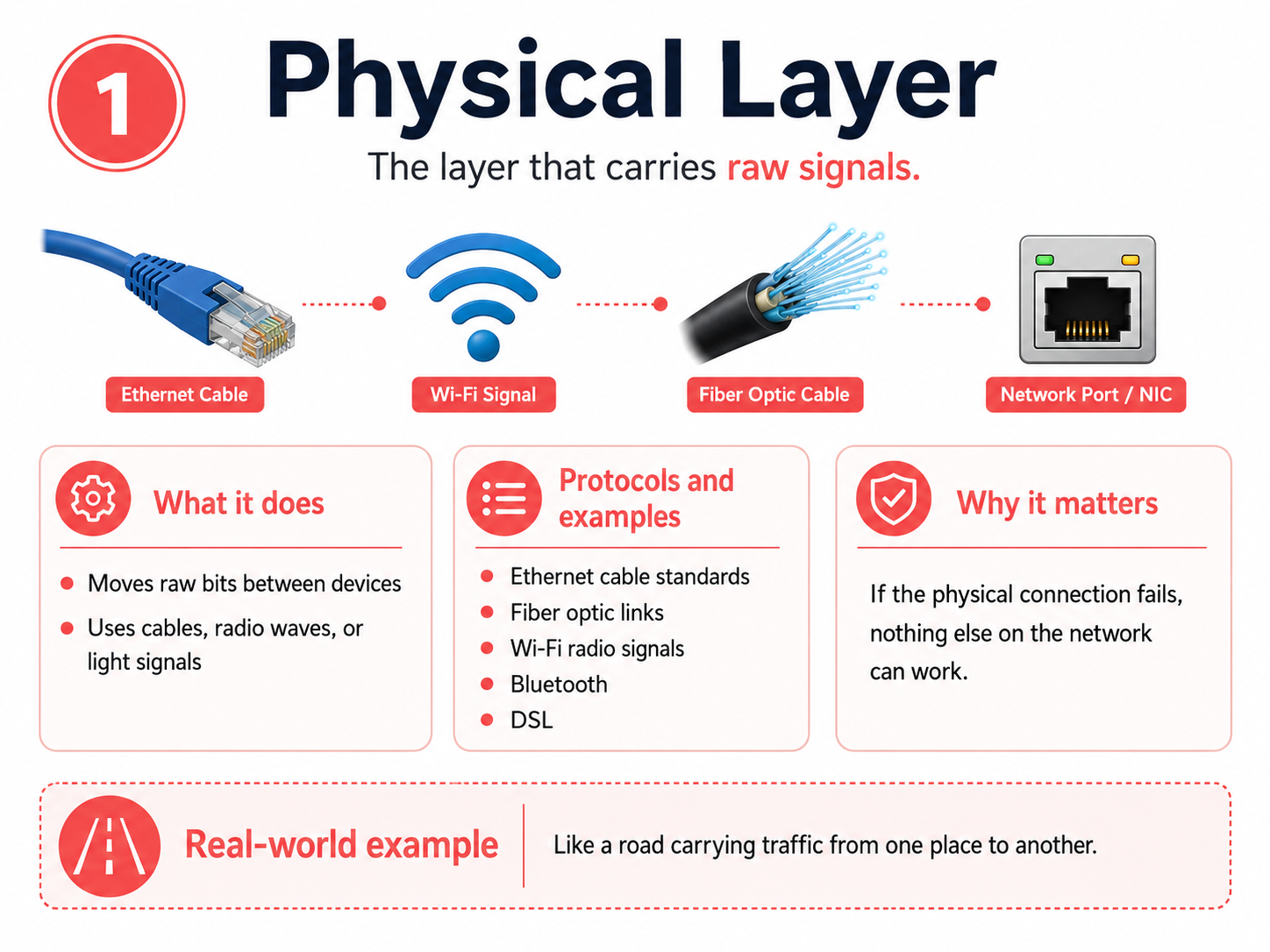
The OSI model physical layer is Layer 1. This is the most basic layer because it deals with the actual movement of signals.
It includes cables, connectors, Wi-Fi signals, fiber optics, network cards, ports, and other hardware. In simple terms, this layer answers one basic question: can the devices physically send and receive data?
The physical layer does not understand websites, emails, passwords, files, or IP addresses. It only moves raw bits, which are the 1s and 0s computers use to send information.
Physical Layer Protocols and Examples
At the physical layer, learners usually see standards and transmission methods instead of app-style protocols.
- Ethernet physical standards: These define how data travels through Ethernet cables. For example, they help wired networks send signals between a computer and a switch.
- Fiber optic standards: These use light to move data very quickly over long distances. Many high-speed internet and business networks use fiber.
- DSL: DSL allows internet data to travel over telephone lines in some network setups.
- Bluetooth: Bluetooth helps nearby devices connect wirelessly, such as headphones, keyboards, and laptops.
- Wi-Fi signaling: Wi-Fi uses radio waves to move data between wireless devices and access points.
These examples matter because no higher layer can work if the physical connection fails.
Why the Physical Layer Matters
The physical layer matters because communication cannot start without a working connection. If the cable is broken, the Wi-Fi signal is weak, or the network card is disabled, the rest of the network process cannot work properly.
Therefore, basic troubleshooting often starts here. Before checking complex settings, it makes sense to ask, “Is the device actually connected?”
Data Link Layer in the OSI Model Explained
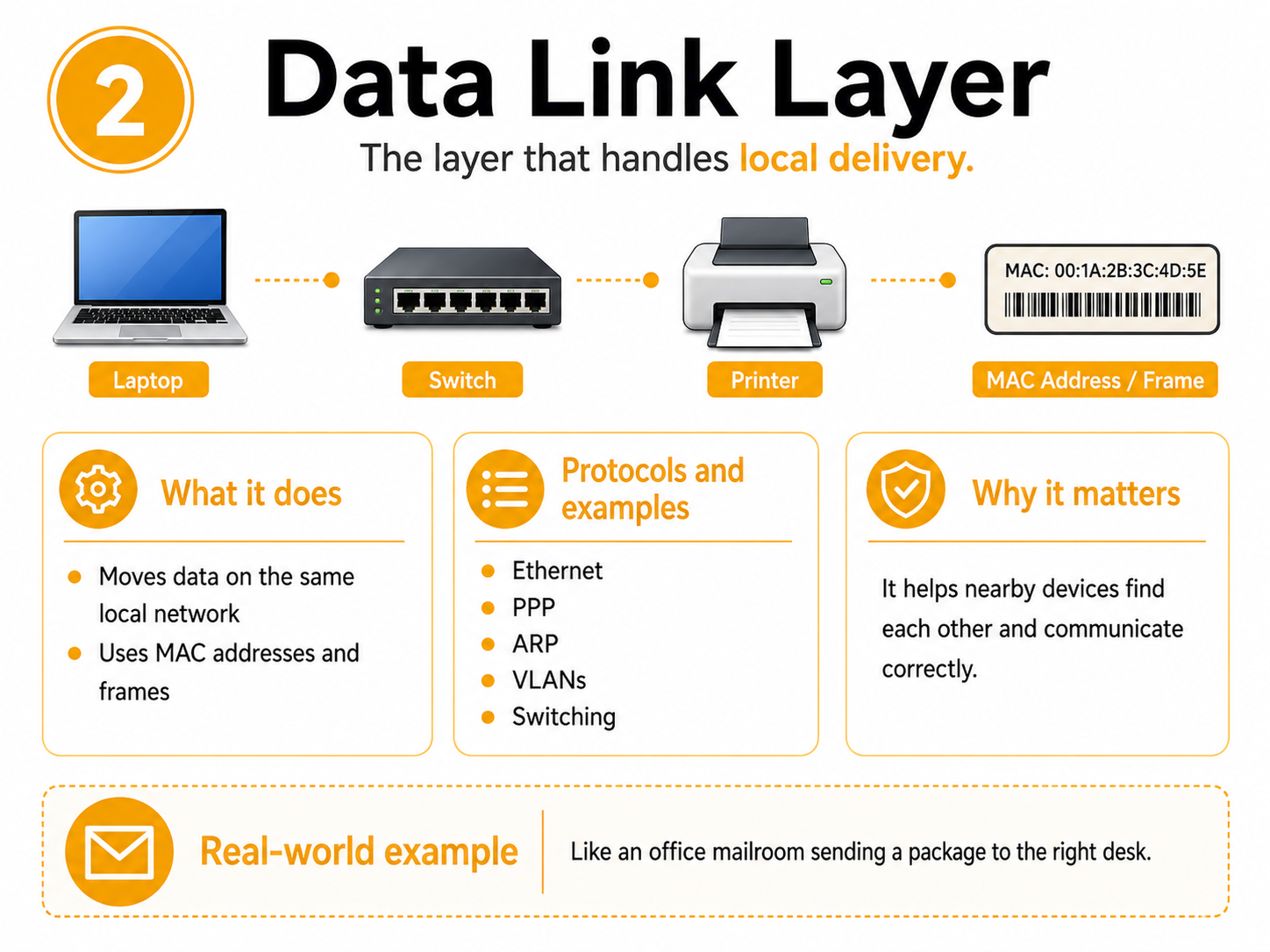
The data link layer in the OSI model of communication is Layer 2. This layer helps devices communicate on the same local network.
A local network may be a home Wi-Fi network, an office network, or a school computer lab. Devices inside that network need a way to identify each other and send data to the correct local device.
The data link layer uses MAC addresses and frames. A MAC address is like a device’s local name tag. A frame is a small piece of data prepared for local delivery.
Data Link Layer Protocols and Examples
The data link layer includes protocols and concepts that help devices communicate inside the same local network.
- Ethernet: Ethernet is commonly used in wired local networks. It helps devices send data through cables.
- PPP, or Point-to-Point Protocol: PPP helps create a direct connection between two network points.
- MAC addressing: A MAC address identifies a device on a local network. This helps switches send data to the correct device.
- VLANs, or Virtual Local Area Networks: VLANs divide one physical network into smaller logical networks. For example, a company may separate employee devices from guest devices.
- ARP, or Address Resolution Protocol: ARP helps match an IP address to a MAC address so data can reach the right local device.
These examples are important because local delivery has to work before data can move smoothly across bigger networks.
Why the Data Link Layer Matters
The data link layer matters because devices on the same local network need a way to find each other.
For example, if a laptop sends a document to a printer on the same office network, the data link layer helps the data reach the correct printer.
Without this layer, switches would not know where to send local network traffic.
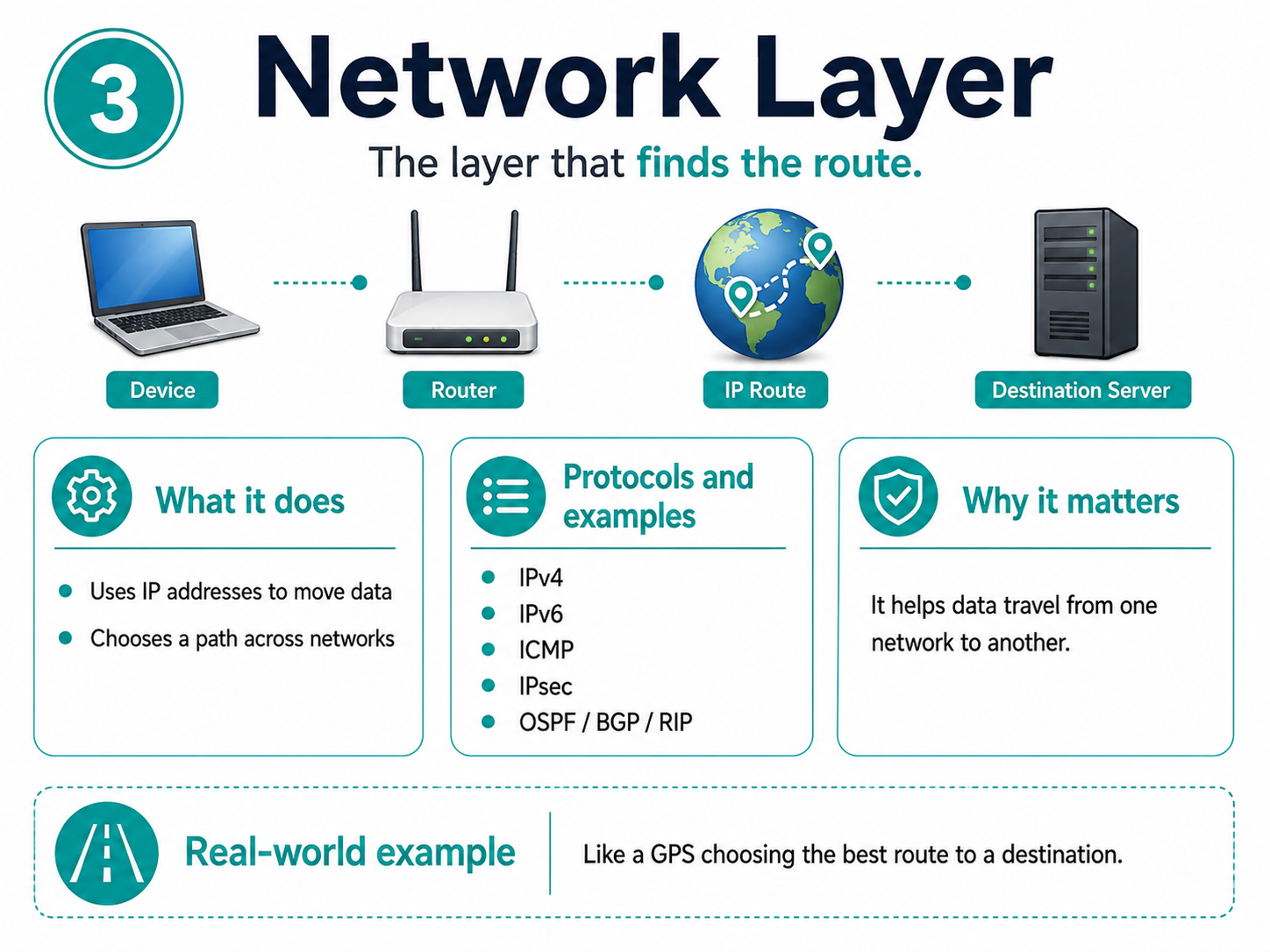
Network Layer in the OSI Model Explained
The network layer in the OSI model of communication is Layer 3. This layer helps data travel from one network to another.
This is where IP addresses are important. An IP address works like a delivery address for a device or server. Routers use IP addresses to decide where data should go next.
For example, when someone opens a website hosted in another country, the network layer helps data move across several networks until it reaches the correct server.
Network Layer Protocols and Examples
The network layer includes protocols that help data move between networks.
- IPv4: IPv4 is a widely used version of Internet Protocol addressing. It gives devices addresses so they can send and receive data.
- IPv6: IPv6 is a newer version of IP addressing. It supports far more devices than IPv4.
- ICMP, or Internet Control Message Protocol: ICMP helps with network testing and error messages. Tools like ping use ICMP.
- IPsec: IPsec helps secure data at the IP level in some network setups.
- OSPF, BGP, and RIP: These routing protocols help routers share path information and move data across networks.
In simple terms, Layer 3 helps data leave one network and reach another.
Why the Network Layer Matters
The network layer matters because most data does not stay inside one small network. It often travels across routers, internet service providers, cloud systems, and different locations.
Without Layer 3, a laptop might communicate with nearby devices, but it would not know how to reach a website, cloud app, or remote server.
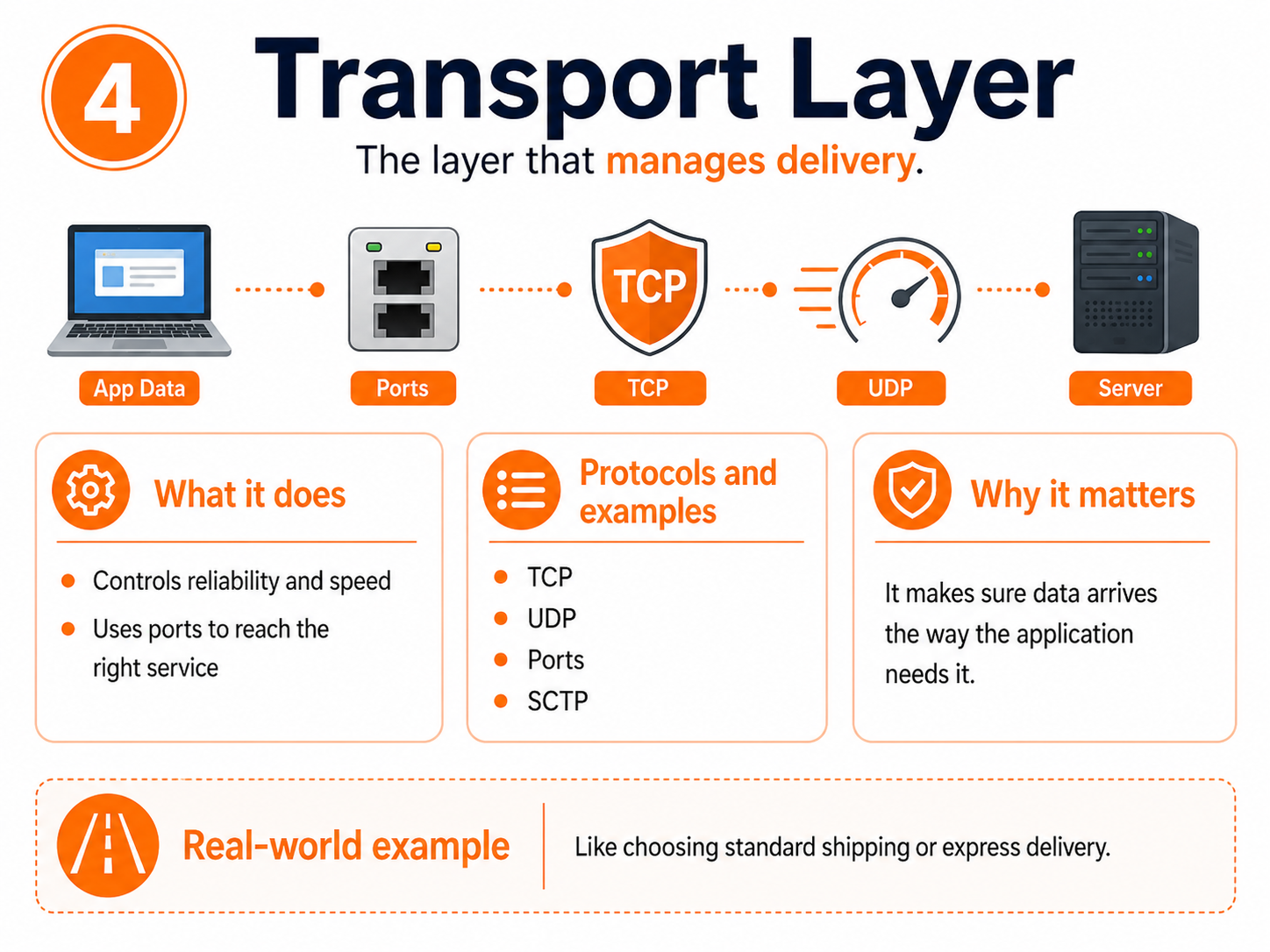
Transport Layer in the OSI Model Explained
The transport layer in the OSI model communication is Layer 4. This layer controls how data is delivered between devices and applications.
It decides whether data should arrive carefully and reliably or quickly with less checking. It also uses port numbers, which help send data to the correct service.
For example, a browser, email app, and video call may all use the same internet connection. Ports help keep those different conversations separate.
Transport Layer Protocols and Examples
The transport layer is best known for TCP and UDP.
- TCP, or Transmission Control Protocol: TCP focuses on reliable delivery. It checks whether data arrives correctly and can resend missing pieces.
- UDP, or User Datagram Protocol: UDP focuses on speed. It sends data quickly without checking every piece as carefully as TCP.
- SCTP, or Stream Control Transmission Protocol: SCTP is less common for beginners, but some systems use it for reliable message-based communication.
- Ports: Ports are not protocols, but they are important at this layer. They help direct data to the right service, such as web browsing, email, or file transfer.
TCP works well when accuracy matters, such as file downloads or web pages. UDP works well when speed matters, such as video calls, online gaming, or live streaming.
Why the Transport Layer Matters
The transport layer matters because different applications need different delivery styles.
For example, a bank transaction should arrive accurately and completely. However, a live video call needs speed. A tiny lost piece of data may not matter as much as a delay.
Because of this, understanding TCP vs UDP is important for networking learners.
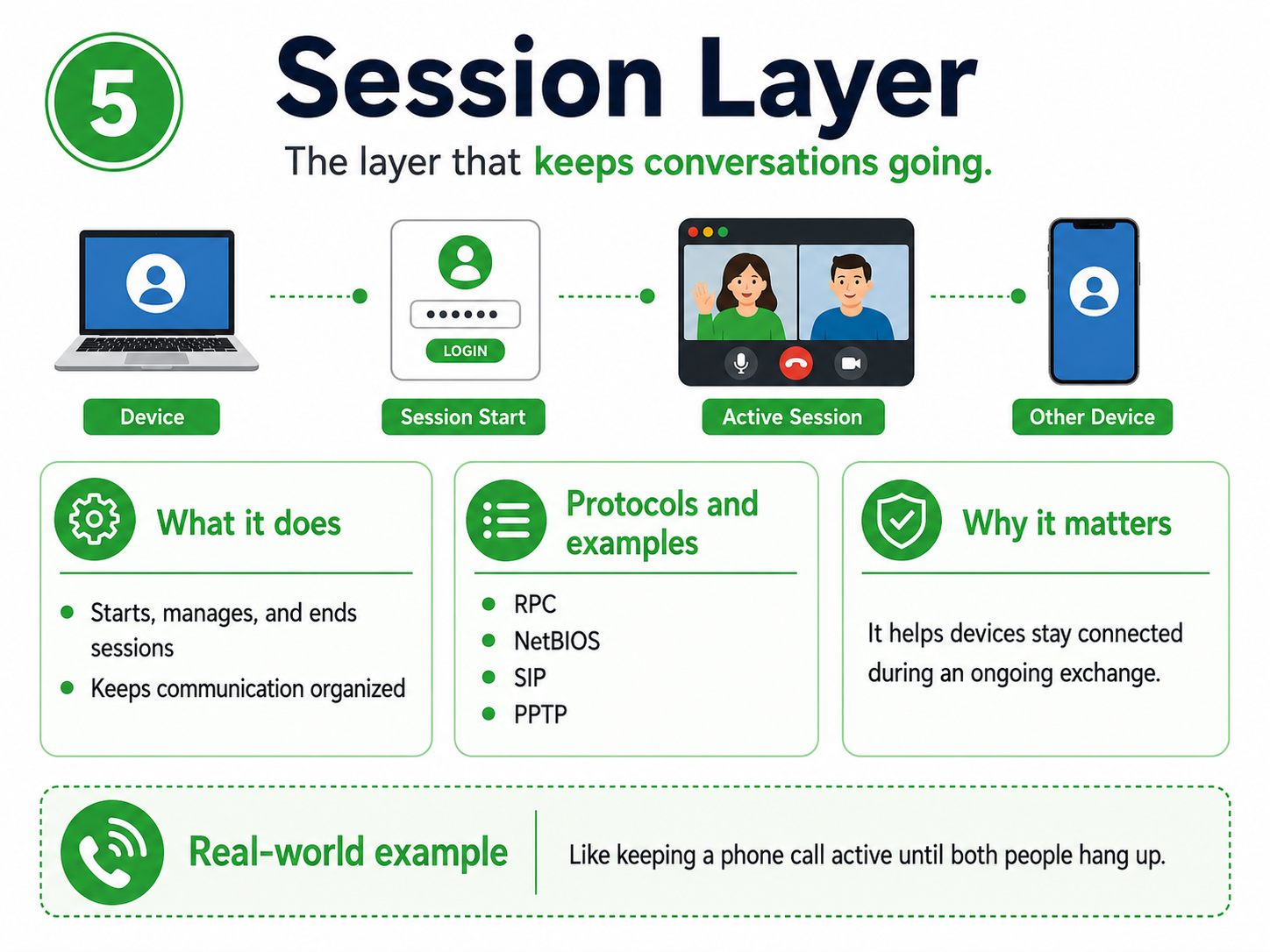
Session Layer in OSI Explained
The session layer in OSI is Layer 5. This layer manages ongoing communication between systems.
A session is like an active conversation. It starts, stays open while needed, and ends when communication is complete.
For example, when someone logs into an account or joins a video call, the communication needs to stay active and organized. The session layer helps explain that process.
Session Layer Protocols and Examples
The session layer can feel less visible than other layers, so these examples help make it clearer.
- RPC, or Remote Procedure Call: RPC allows one computer to request a service or action from another computer.
- NetBIOS: NetBIOS is an older technology that helped computers communicate and share resources on local networks.
- SIP, or Session Initiation Protocol: SIP helps set up and manage voice or video communication sessions.
- PPTP, or Point-to-Point Tunneling Protocol: PPTP has been used for VPN-style connections, although newer VPN methods are more common today.
These examples show how systems can start, manage, and close communication sessions.
Why the Session Layer Matters
The session layer matters because many network activities are not one-time messages. They are ongoing exchanges.
For example, a video meeting needs the connection to stay active while people talk. A login session also needs to remain open until the user signs out or the session expires.
As a result, this layer helps learners understand how communication stays organized over time.
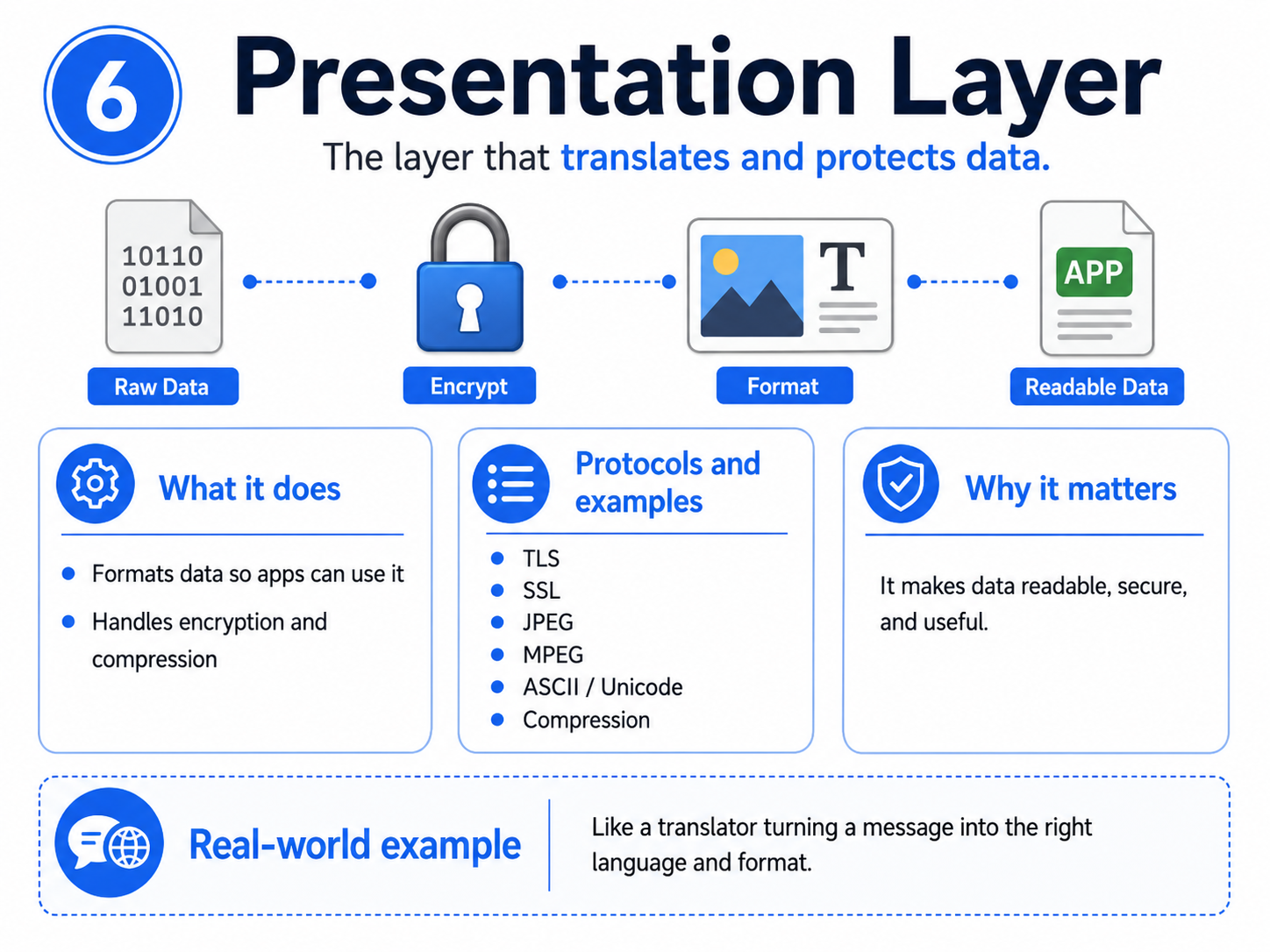
Presentation Layer in OSI Explained
The presentation layer in OSI is Layer 6. This layer prepares data so applications can understand it.
In simple terms, it acts like a translator. It helps data appear in the right format, protects it through encryption, or makes it smaller through compression.
For example, a photo should open as an image, not as unreadable code. A secure website should also protect data before it travels across the network.
Presentation Layer Protocols and Examples
The presentation layer includes formats and security methods that help data make sense to applications.
- TLS, or Transport Layer Security: TLS helps protect data as it moves across a network, especially on secure websites.
- SSL, or Secure Sockets Layer: SSL is an older security technology often mentioned with TLS.
- JPEG and GIF: These are image formats that help applications display pictures correctly.
- MPEG: MPEG supports video and audio formatting.
- ASCII and Unicode: These help computers represent letters, numbers, and symbols correctly.
- Compression formats: These reduce file size so data can move or load more efficiently.
This layer helps make sure the data is readable, secure, and useful.
Why the Presentation Layer Matters
The presentation layer matters because raw data is not always useful by itself. Applications need data in the right format.
For example, encrypted data must be decrypted before it can be read. A compressed file may need to be expanded before use. Text also needs proper character encoding so letters and symbols display correctly.
Because of this, Layer 6 acts like a translator, formatter, and security helper.
Application Layer in OSI Explained
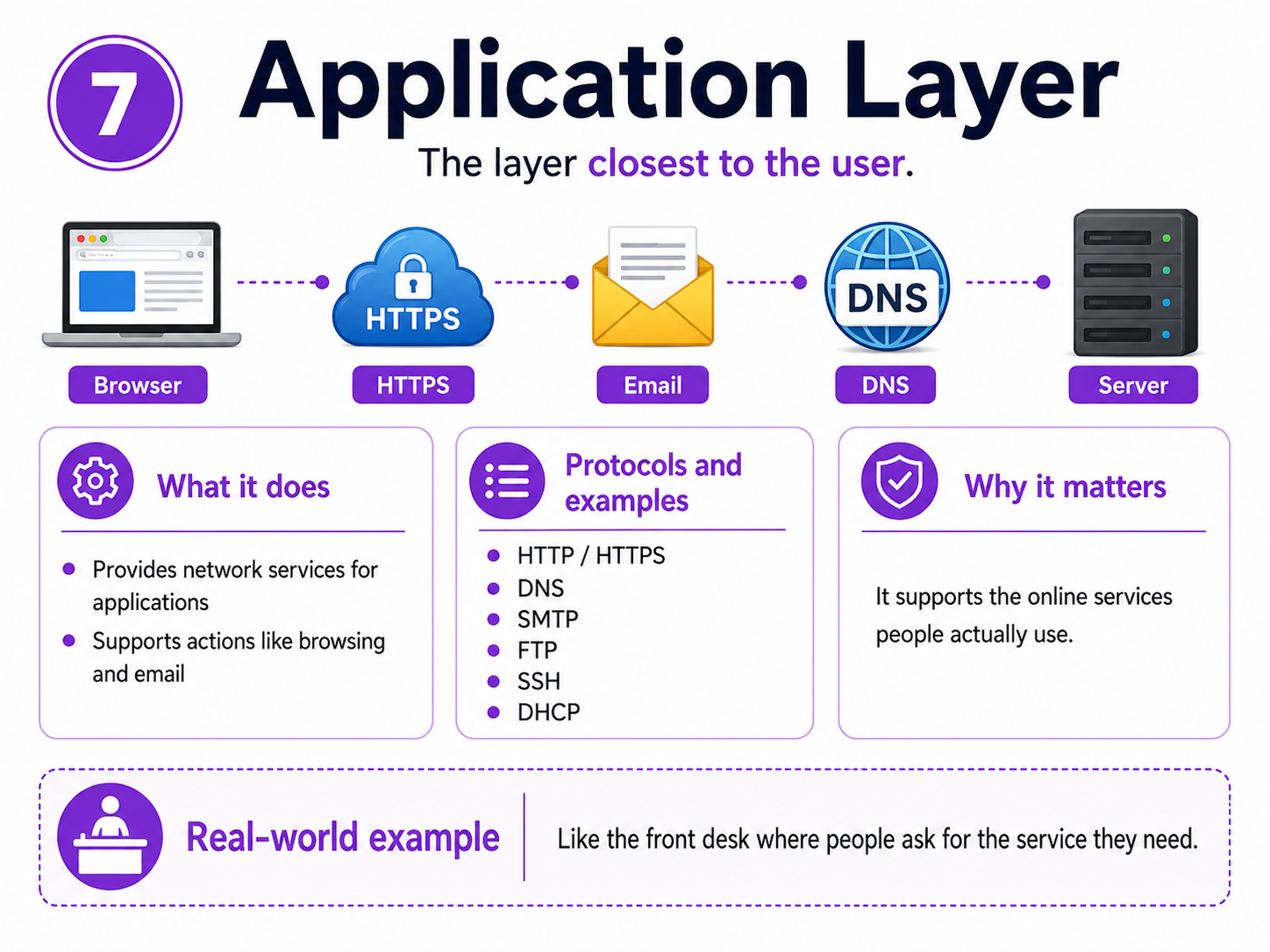
The application layer in OSI is Layer 7. This is the layer closest to the user.
It supports the network services that applications use. It does not mean the app itself. Instead, it means the network functions behind common actions like opening a website, sending email, transferring files, or using cloud software.
For example, when a browser opens a webpage, the application layer helps request and receive that web content.
Application Layer Protocols and Examples
The application layer includes many protocols that people use every day, often without realizing it.
- HTTP, or Hypertext Transfer Protocol: HTTP helps load websites.
- HTTPS, or Hypertext Transfer Protocol Secure: HTTPS loads websites using secure communication.
- DNS, or Domain Name System: DNS turns website names into IP addresses.
- SMTP, or Simple Mail Transfer Protocol: SMTP helps send email.
- IMAP and POP3: These help receive or retrieve email.
- FTP, or File Transfer Protocol: FTP helps move files between systems.
- SSH, or Secure Shell: SSH allows secure remote access to another system.
- DHCP, or Dynamic Host Configuration Protocol: DHCP automatically gives devices network settings, such as IP addresses.
- SNMP, or Simple Network Management Protocol: SNMP helps monitor and manage network devices.
These protocols feel familiar because they connect to everyday actions like browsing, emailing, logging in, and using cloud tools.
Why the Application Layer Matters
The application layer matters because it supports the services people actually use.
When someone opens a website, checks email, connects to a server, or uses a cloud app, application layer protocols are involved.
However, this layer still depends on all the lower layers. If the connection, IP address, port, or formatting fails, the application may not work properly.
OSI Model Layers Example: What Happens When a Website Loads?
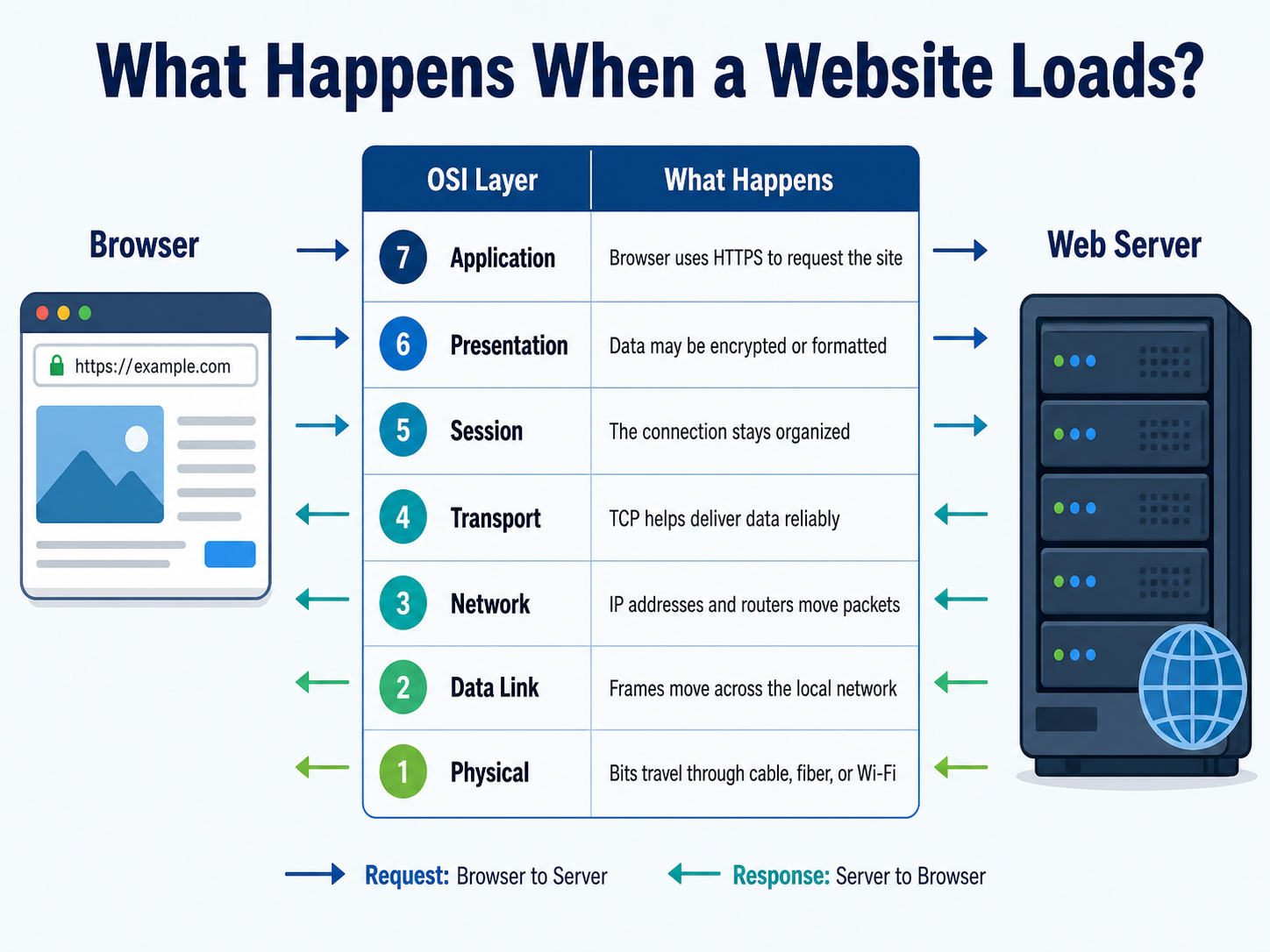
The OSI model layers become easier to understand with a simple website example. Imagine someone types a website address into a browser and presses Enter.
The browser starts the request at the application layer. Then, the data moves down through formatting, session management, delivery, routing, local network delivery, and physical signals.
After the request reaches the web server, the response travels back through the layers in reverse.
OSI Layer | What Happens When a Website Loads |
Layer 7: Application | The browser uses HTTPS to request the website. |
Layer 6: Presentation | The data may be encrypted, compressed, or formatted so it can be understood. |
Layer 5: Session | The connection between the browser and the website stays organized. |
Layer 4: Transport | TCP helps deliver the data reliably and in the correct order. |
Layer 3: Network | IP addresses and routers help move packets across networks. |
Layer 2: Data Link | Frames move across the local network using MAC addresses. |
Layer 1: Physical | Bits travel through cables, fiber, or Wi-Fi signals. |
This example shows why every layer matters. If one layer fails, the full process can break.
OSI Model vs TCP/IP: What Is the Difference?
The OSI model and TCP/IP model both explain networking, but they do it differently. The OSI model has seven layers and is often used for learning and troubleshooting.
TCP/IP has fewer layers and maps more closely to how the internet works in real life.
Point of Difference | OSI Model | TCP/IP Model |
Number of layers | 7 layers | Usually 4 layers |
Best use | Learning and troubleshooting | Real-world networking |
Detail level | More detailed | More practical |
Upper layers | Separates session, presentation, and application | Combines several upper-layer functions |
Common use in study | Network+ and networking basics | Internet and protocol architecture |
In simple terms, OSI explains networking in more detail. TCP/IP shows how many networks are actually built and used.
Why Learners Still Study the OSI Model
Learners still study the OSI model because it makes network problems easier to understand.
For example, if a website does not open, the problem might be physical connectivity, IP routing, DNS, ports, encryption, or the website itself. The OSI model helps learners check these areas in a logical order.
That is why it remains useful for IT support, networking, cybersecurity, and certification study.
How to Remember the 7 Layers of the OSI Model
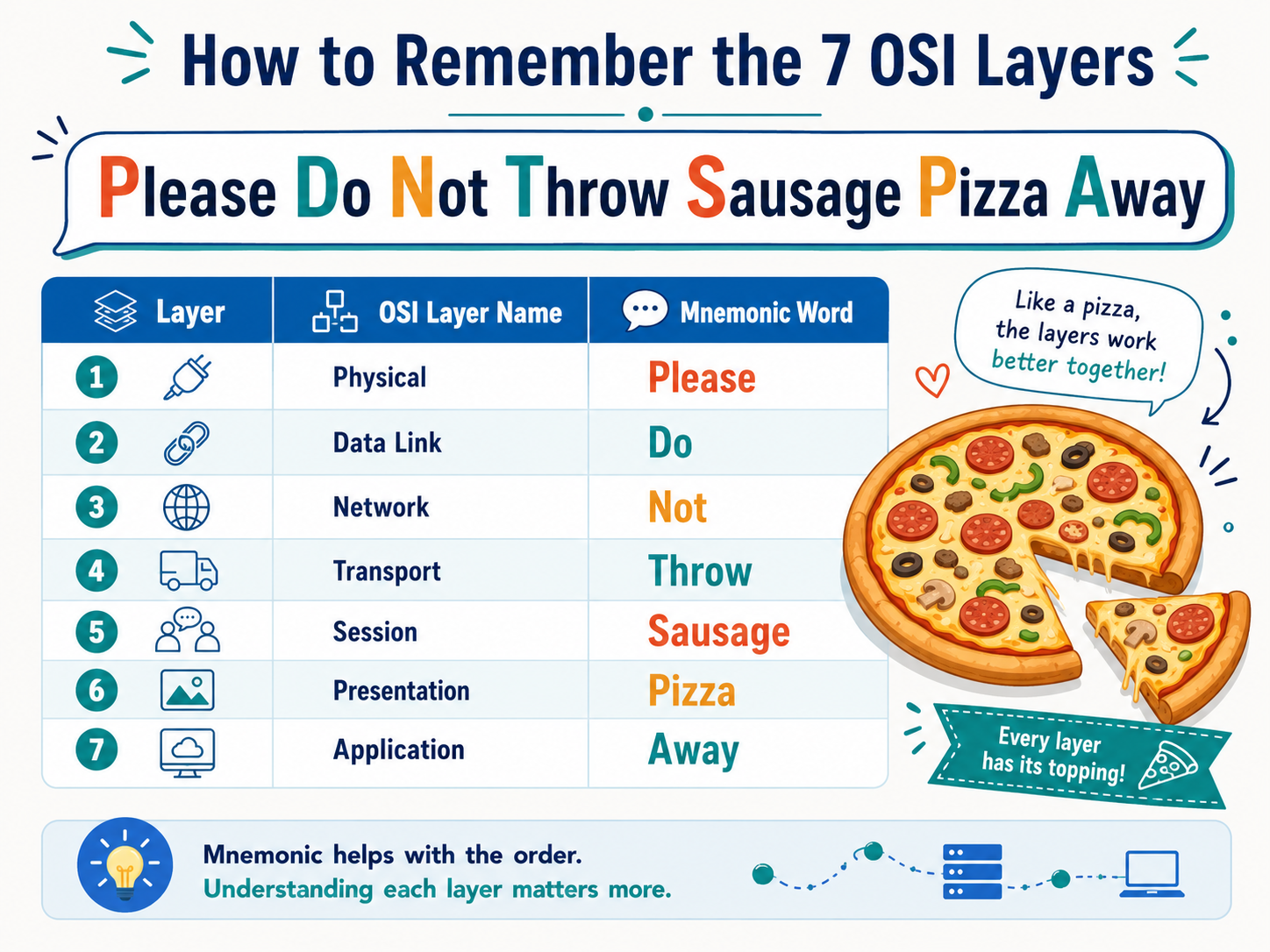
The 7 layers of the OSI model can be remembered from Layer 1 to Layer 7 using this simple mnemonic: Please Do Not Throw Sausage Pizza Away.
Layer | OSI Layer Name | Mnemonic Word |
1 | Physical | Please |
2 | Data Link | Do |
3 | Network | Not |
4 | Transport | Throw |
5 | Session | Sausage |
6 | Presentation | Pizza |
7 | Application | Away |
This makes the order easier to remember: Physical, Data Link, Network, Transport, Session, Presentation, Application.
Memory tricks help with the order. However, learners should also understand what each layer does because real troubleshooting depends on meaning, not memorization.
Bottom-Up vs Top-Down Memory Method
The bottom-up method starts with Physical and moves to Application. This is useful for troubleshooting because many problems begin with basic connectivity checks.
The top-down method starts with Application and moves to Physical. This is useful when thinking about how a user action begins, such as opening a website.
Both methods help. Therefore, the best approach is to know the layers both ways.
Final Thoughts: Why the OSI Model Still Matters
The OSI model still matters because it makes networking easier to understand. Instead of seeing one confusing system, learners can break communication into seven clear steps.
For beginners, this makes troubleshooting less intimidating. For instructors, it creates a simple teaching structure. And for Network+ learners, it builds the foundation needed to understand protocols, devices, and data movement.
Once the 7 layers of the OSI model are clear, networking becomes much easier to study. The pizza mnemonic can help remember the order, but real understanding comes from knowing what each layer does.